
Plugins / Festivello
Festivello
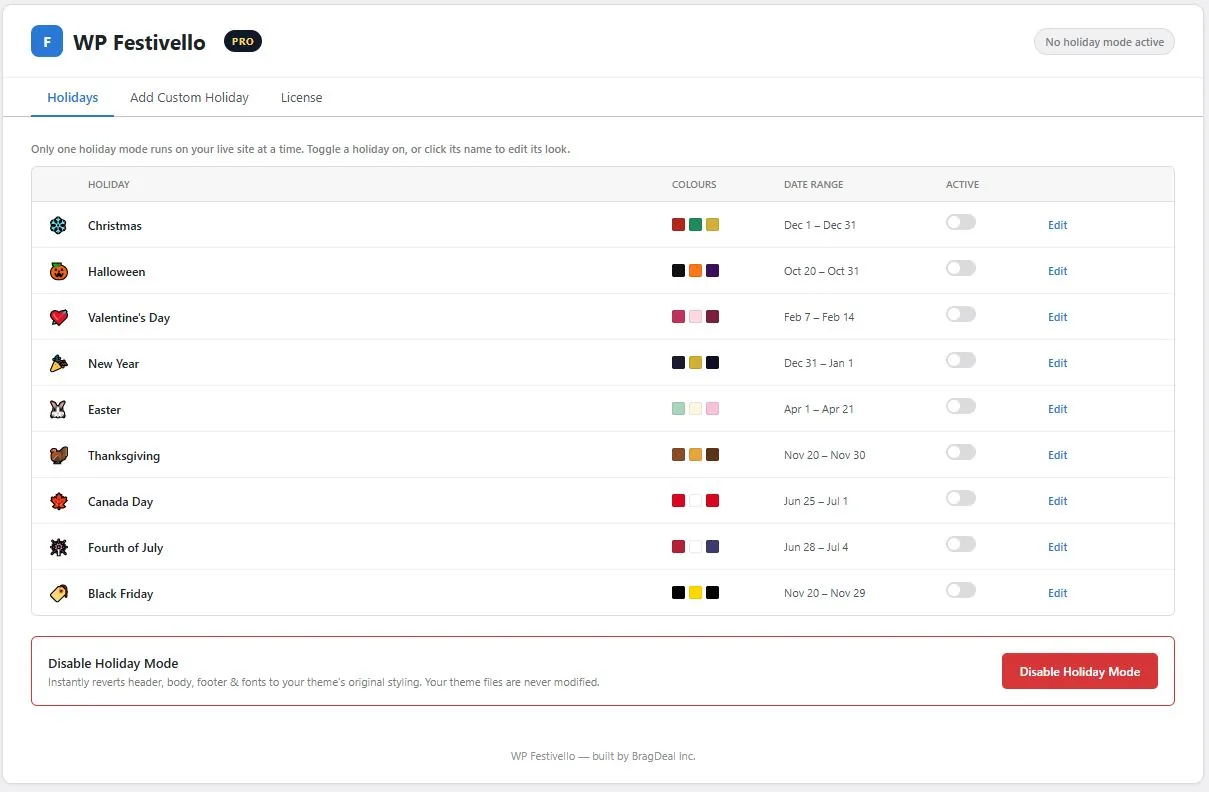
- Nine editable built-in holidays, including Christmas, Halloween, Black Friday and Canada Day
- Banner message, colour overlay, floating icons, five animations and automatic scheduling, all free
- Pro adds your own custom holidays and several holidays live at once
Works with any theme14-day money-back
Set it up once. Every season runs itself.
Edit the look of any holiday
Nine holidays, ready to switch on
What the free plugin does, and what Pro adds
Free plugin
WordPress.org, no account
- Nine editable built-in holidays, from Christmas to Black Friday
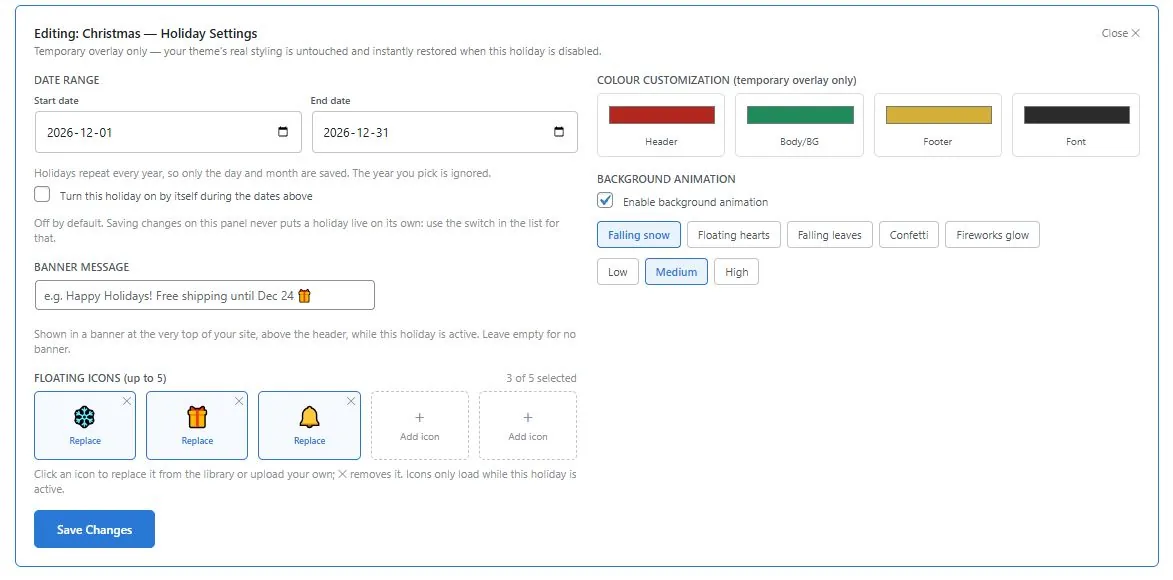
- Colour overlay for your header, body, footer and font
- Up to five floating icons, from emoji or your own Media Library images
- Five background animations: snow, hearts, leaves, confetti and fireworks, with intensity
- Banner message above your header
- Automatic date scheduling, including ranges that wrap past December 31
- One holiday live at a time
- Respects visitors who ask for reduced motion
- No limits and no expiry
Pro add-on
Paid, requires the free plugin
- Custom holidays with your own name and dates
- Your own colours, icons, animation and banner for each custom holiday
- Several holidays live at once: the first supplies the colours, animation and banner, and the floating icons of every live holiday are combined
- License tab on the Festivello screen
- Updates and direct email support
Start free. Add Pro when you need it.
Pro is a separate add-on. Install it alongside the free plugin.
14-day money-back guarantee. If your subscription ends, the free plugin keeps working exactly as before. The Pro add-on’s extra features pause until you resubscribe. Your settings and data are kept.
Prices in CAD, plus tax where applicable.
- Nine editable built-in holidays
- Colour overlay, banner message and floating icons
- All five background animations
- Automatic date scheduling
- Free forever, no account needed
- Community support
- Custom holidays with your own name, dates, colours, icons, animation and banner
- Several holidays live at once
- 1 site license with automatic updates
- Priority support within 1 business day
- 14-day money-back guarantee
Festivello questions
Will Festivello change my theme files?+
Never. Every colour, font and effect is a temporary overlay applied on the front end while a holiday is active. Disable Holiday Mode and your site is exactly as it was.
Can two holidays run at the same time?+
Not with the free plugin. It runs one holiday at a time, so there is never a Christmas banner fighting a Black Friday one. With Pro, yes: the first holiday you switch on supplies the colours, animation and banner, and the floating icons of every live holiday are combined.
Does it work with Elementor, Breakdance or block themes?+
Yes. Festivello targets your header, body and footer regions generically, so it works with any properly built theme or page builder.
Can I add my own holidays or sale events?+
Yes, with Pro. Create a custom holiday with its own name, dates, colours, banner and icons. A Black Friday sale, a local festival or your shop anniversary all work the same way.
How do I add Pro?+
Keep the free Festivello plugin installed and active. Download Festivello Pro from My Account → Downloads, upload and activate it as a separate plugin, then paste your key on the License tab of the Festivello screen.
What happens if my subscription ends?+
If your subscription ends, the free plugin keeps working exactly as before. The Pro add-on’s extra features pause until you resubscribe. Your settings and data are kept.